
Getting started, stage 2: how do we get our clinicians' profiles done?
This is part of the Clinical Content System subscription. If your clinic isn't subscribed yet, you can see what the Clinical Content System includes.
Sound familiar?
"Some of these clinicians have left. What do I do?" "How do I add someone who's missing?" "How do we get our clinicians' profiles filled in?" "Do my clinicians have to type all this?" "Why is there so much detail?" "When can we start creating content?" Stage 2 is the one that decides how soon your first piece is written, and you've got three ways to do it.
What's happening
Your content plan unlocks as soon as one clinician's profile reaches 60% (they can be an author) and another reaches 50% (they can be the reviewer). After that, it stays unlocked. Most clinics get there within a week or two. You choose how each clinician fills in their profile, and you can mix and match.
Why it works this way
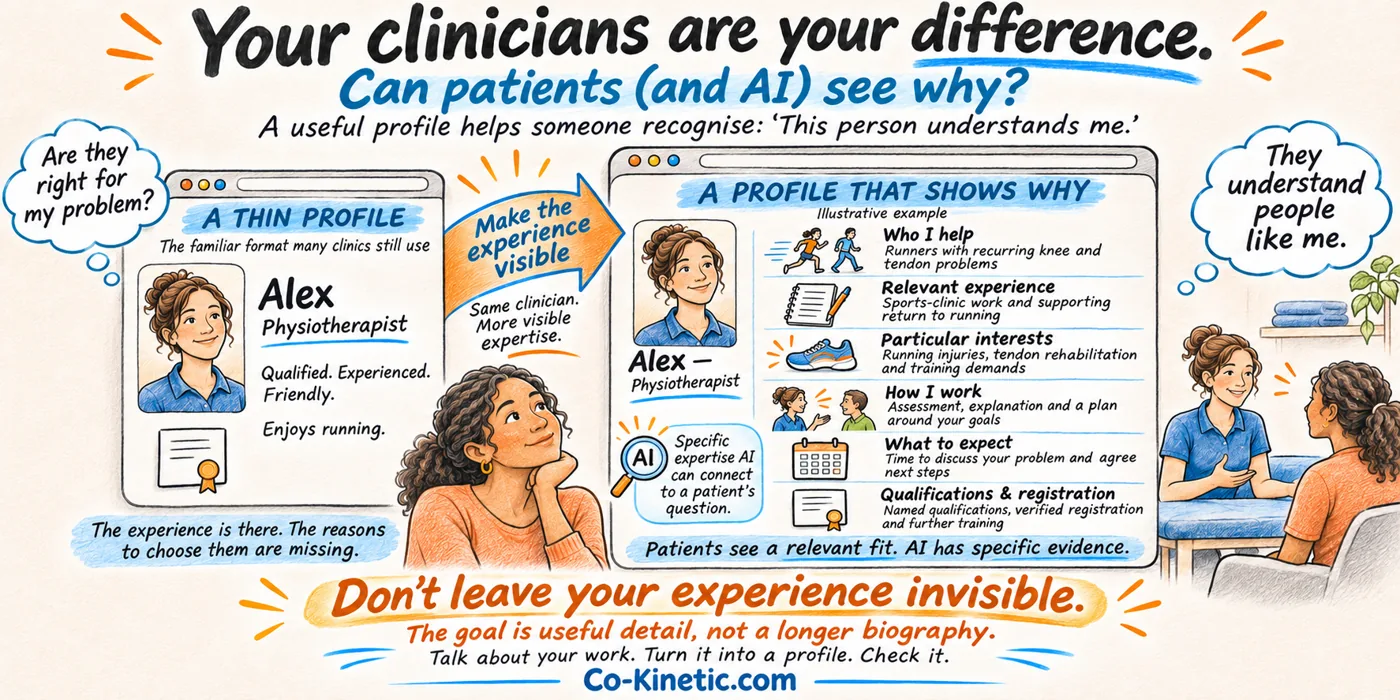
Your clinicians are your clinic's difference. We do a lot to make every piece yours, and their profiles are a key part of it: their experience and expertise are what make your clinic sound unique, not like something anyone could get from ChatGPT. They're also what Google and AI tools look for before they recommend a clinician. The goal is useful detail, not a longer biography 🎯.
What to do now
Step 1: tidy up your team (10 minutes)
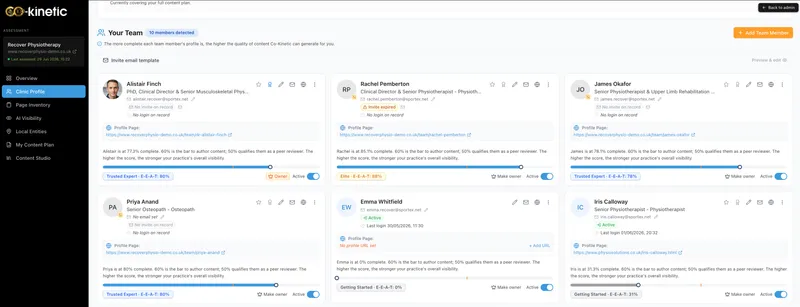
We've already added as many of your clinicians as we could find on your website. They're in the Your Team panel on your Clinic Profile. Now make it right ✏️:
- Make anyone inactive who isn't practising at the moment (on leave, on a break, or not seeing patients just now). Use the active/inactive toggle on their row. They stay on your team and their profile is kept, but they're left out of your plan and author choices until you switch them back. See "A clinician is going on long-term leave, what should I do?".
- Remove anyone who has left with "remove from clinic". Before you do, change the email on their profile to a personal one, so their profile goes with them.
- Add anyone who's missing. Every clinician who treats patients belongs here: each piece needs an author and a reviewer, so you need at least two, and every clinician you add widens what your plan can cover.
Support staff can be added too. They don't count towards unlocking your plan, but they can help keep things moving. See "How do I give someone administrator access?".
Step 2: start with the clinician you'd love to see busier
Every clinic has one. Star them: it gives their expertise more places in your content plan. Then do their profile first. Most owners do their own profile first too, and that's fine.
Step 3: choose how each clinician fills in their profile
- The interview (quickest): a colleague asks the questions for 20 to 30 minutes, using our interview guide for experienced clinicians or the one for early-career clinicians in the Downloads panel, and records it. Send us the recording or a transcript and we put it into their profile 🎙️.
- The worksheet: the clinician fills in the profile worksheet on their laptop, in their own time, and sends it back. Upload it, or send it to us and we put it in.
- Online: the clinician signs in and fills in their profile straight into CCS. They can import a CV, LinkedIn page or existing bio to fill the empty fields first.
To send us a recording or worksheet, ask Coki (bottom right of any CCS page) or reply to any of our emails.
Step 4: fill in the gaps
- Open the clinician's profile from your Clinic Profile page.
- Open the Fill in the gaps panel near the top. It lists the things worth the most points, biggest first. Work down it until they reach 60% (or 50% for your reviewer).
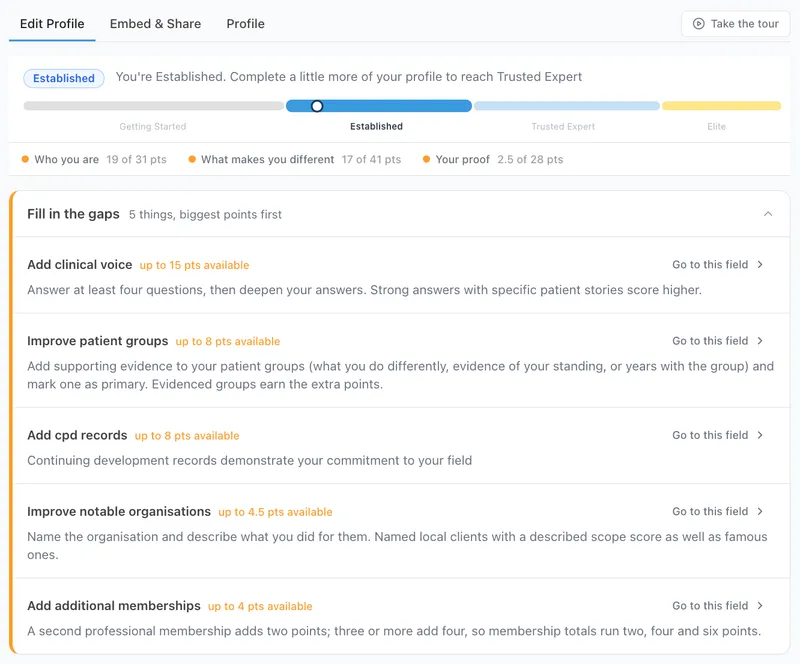
That's stage 2 done ✅ when one profile is at 60% and another at 50%. Your content plan unlocks straight away, and we'll email you when it does.
What's next: stage 3
Your first piece. See "Getting started, stage 3: how do I create our first piece?". Keep bringing the rest of your team up to 50% too: the plan can only reflect the expertise it knows about.
The question behind the question
"Do we really need this much detail?" Yes. The short paragraph on old clinic websites was never enough for patients, and it isn't enough for AI. A thin profile gives generic content; a full one gives content only your clinic could have written. It's done once, and the interview makes it far quicker than typing.
The next question is usually...
- Getting started, stage 3: how do I create our first piece?
- Why does my clinician's profile matter so much?
- Is there a faster way to fill in clinician profiles?
- How are profile scores worked out, and how do I raise mine?
- What does starring a clinician do?
- How do I add a new team member?
- A clinician is going on long-term leave, what should I do?
Still stuck? This usually means...
- A clinician is pushing back on the detail. Share "Why does my clinician's profile matter so much?" with them, and offer the interview: most people talk far more easily than they type.
- The plan hasn't unlocked. Check that the 60% and 50% profiles belong to two different clinicians who treat patients. See "Why can't I generate content yet?".
- You've got a large team. See "How do we plan clinician profiles across a large team?".